Friends
Friend Avatars
Video Tutorial is available
Steam avatars are returned as a Texture 2D that you can use in a UMG Image widget, for example with Set Brush from Texture.
Getting an Avatar
Call one of the avatar nodes with the player's Steam ID:
| Node | Size |
|---|---|
| Get Small Friend Avatar | 32×32 |
| Get Medium Friend Avatar | 64×64 |
| Get Large Friend Avatar | 128×128 |
To get the local player's own avatar, pass the result of Get Steam ID.
When the Avatar Is Not Loaded Yet
Steam downloads avatars in the background. If the avatar is not available yet, the node returns an invalid texture. Handle this case:
- Check the returned texture with Is Valid.
- If it is not valid, use Get Steam Friends and bind the Avatar Image Loaded event.
- When the event fires, compare Data → Steam ID with the player you asked for and use Data → Image.
Players Who Are Not Your Friends
Steam only knows about your friends and players you share a lobby, game server or leaderboard with. For other players, call Request User Information first. When Steam has the information, the avatar nodes work as described above.
Example
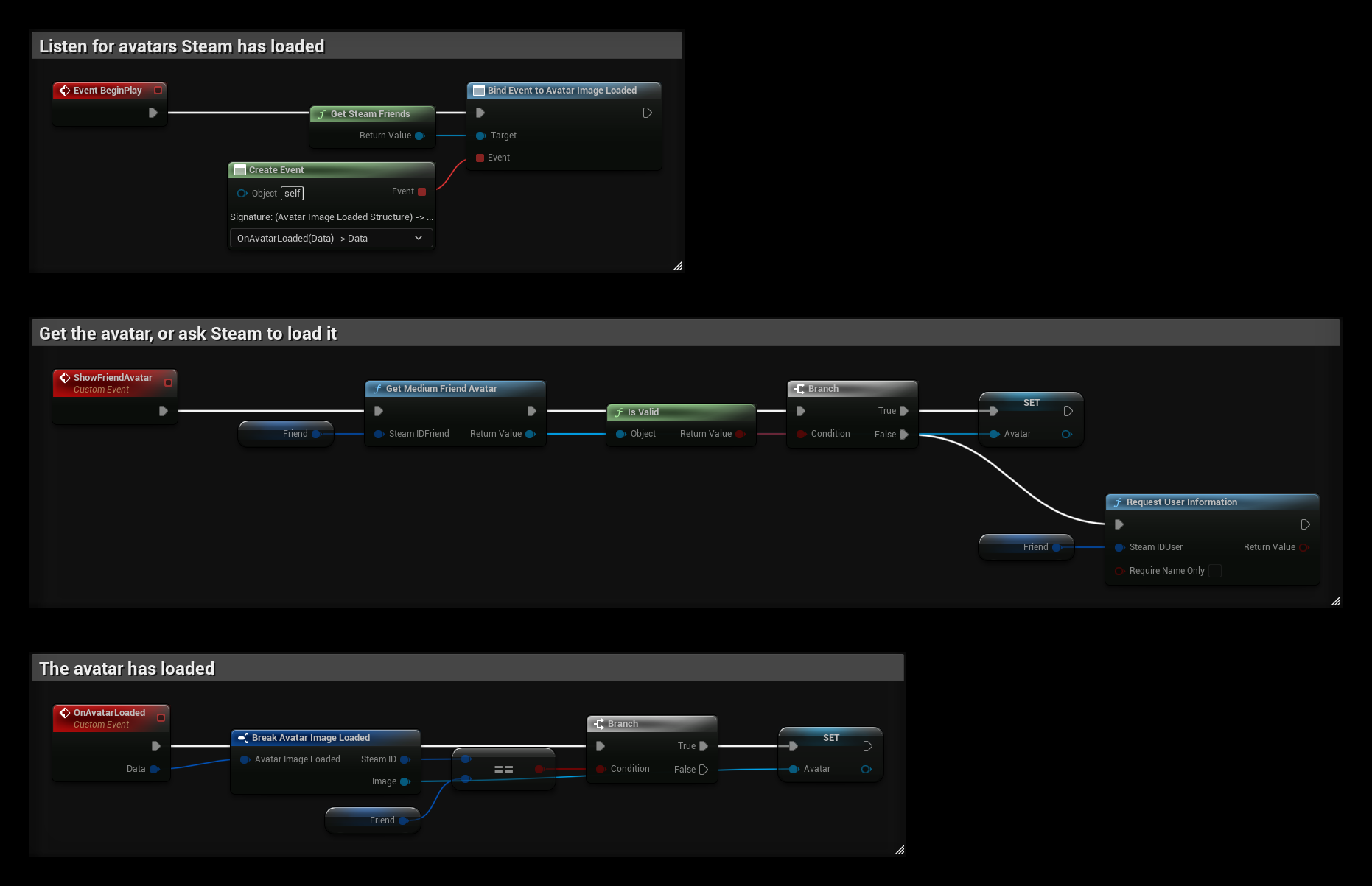
Friend is a Steam ID variable and Avatar is a Texture 2D variable that an Image widget can use:
- BeginPlay binds Avatar Image Loaded.
- ShowFriendAvatar gets the medium avatar. If it is not valid yet, it calls Request User Information so Steam loads it.
- OnAvatarLoaded sets
Avatarwhen the loaded avatar belongs toFriend.
See also Friend List.