Text Filtering
Steam can filter text that players write, such as chat lines and character names. It removes what the law requires in the player's region, and profanity and slurs if the player has chosen that in their Steam settings. Each player sees text filtered by their own settings.
Filter text from other players before you show it, and do the filtering on the client that shows the text, since it uses that player's settings.
Step 1: Start the Filter
Call Init Filter Text on Get Steam Utils once, for example at start. It returns false if Steam has no filter for the language the player runs Steam in. Filter Text then returns the text unchanged.
Step 2: Filter the Text
Call Filter Text with:
| Input | Description |
|---|---|
| Context | What the text is: Chat for chat from another player, Name for a character or item name, or Game Content for text where only legally required filtering is done. |
| Source Steam ID | The Steam ID of the player who wrote the text or chose the name. |
| Input Message | The text to filter. |
Out Filtered Text is the text with the filtered characters replaced, and Return Value is the number of characters that were filtered.
Example
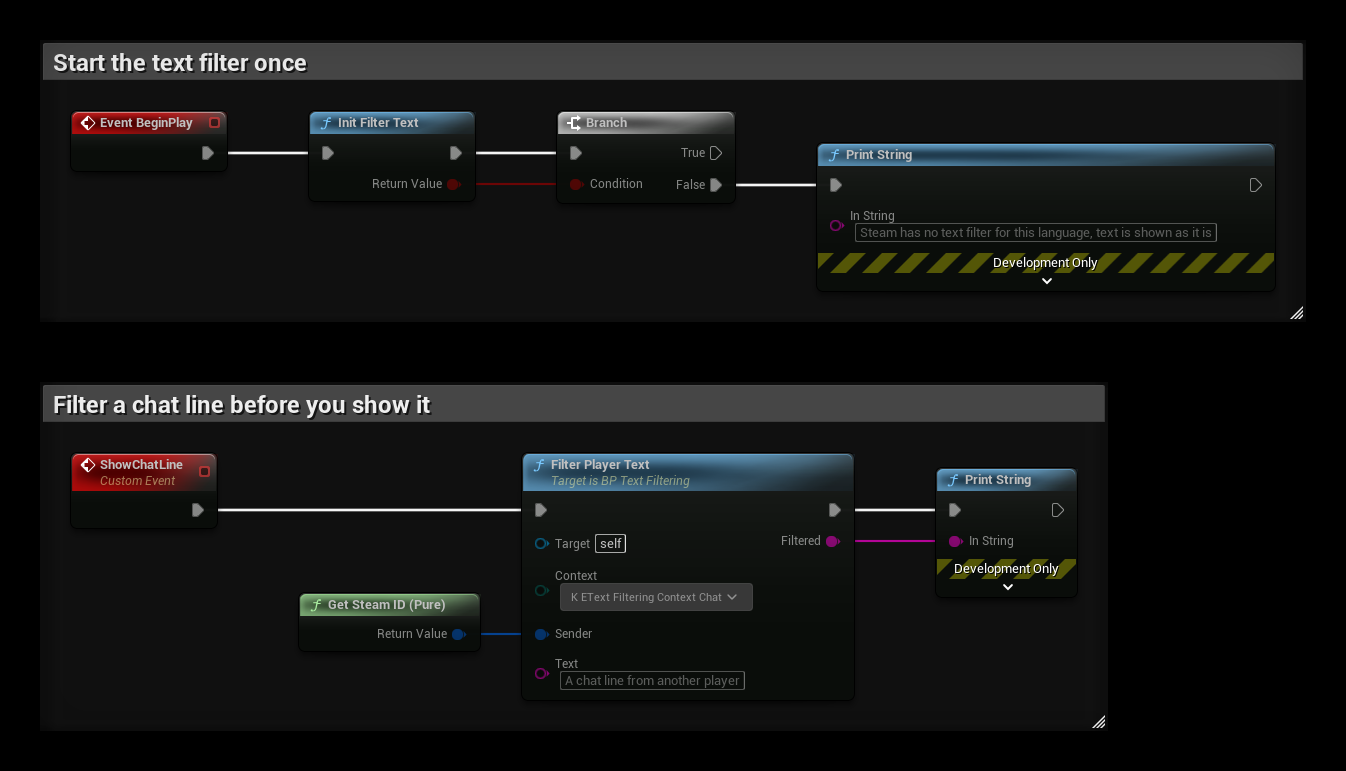
- BeginPlay starts the filter and prints a message if Steam has no filter for the player's language.
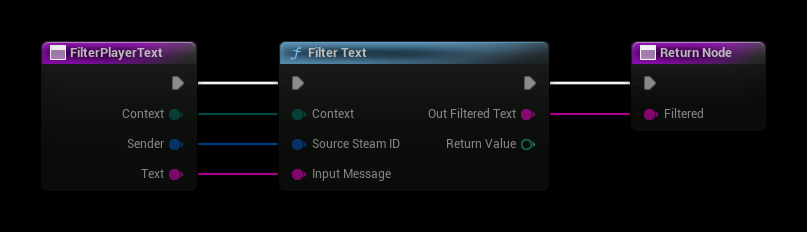
- FilterPlayerText is a function that filters text from a player in a given context. Call it wherever you show text from other players.
- ShowChatLine filters a chat line and prints it. It uses your own Steam ID only as a test; pass the Steam ID of the player who wrote the text.
The FilterPlayerText function: