Custom Session Attributes
You can create sessions with custom attributes, for example a game mode or a skill level. Use them to filter your search results, see Finding Sessions, or to show more about each session in your server list.
Creating a Session with Attributes
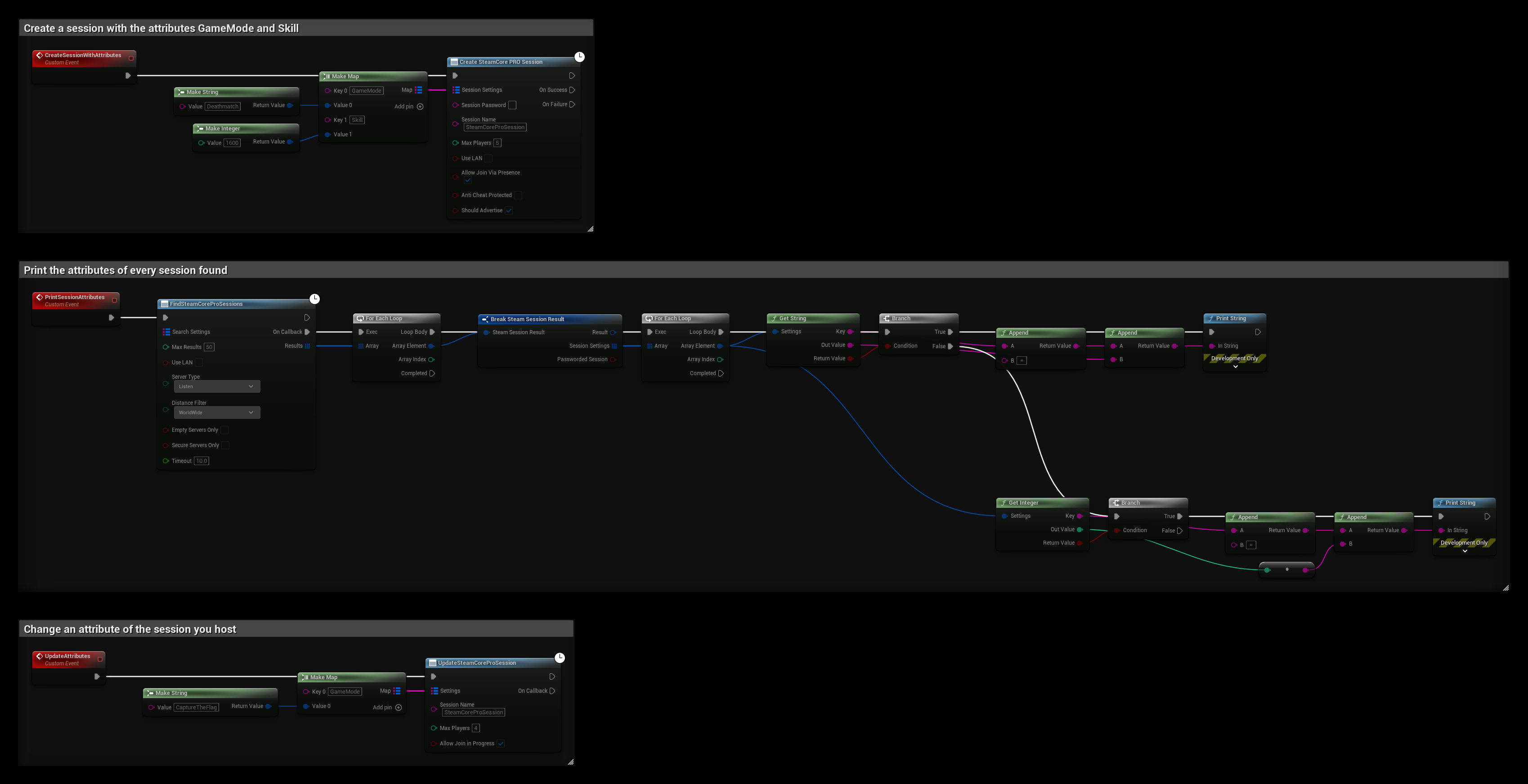
Connect a Make Map node to Session Settings on Create SteamCore PRO Session. Each key is the attribute's name, and each value is made with Make String or Make Integer.
Reading Attributes
Each search result has a Session Settings array. Loop through it and call Get String or Get Integer on each setting. They return true when the setting has that type, and output its Key and value.
Typed Attributes
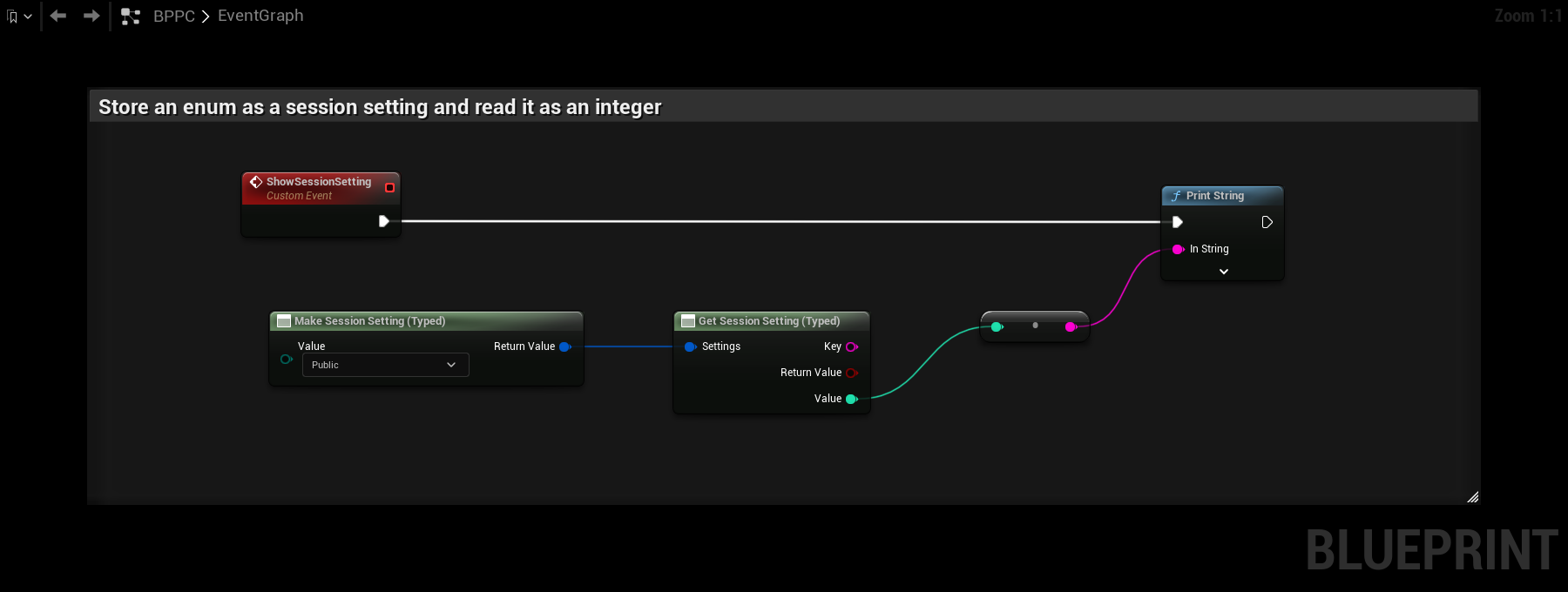
Make Session Setting (Typed) and Get Session Setting (Typed) replace the separate String and Integer nodes. Connect a value of any supported type to Value, and the node picks the right function. Integers, booleans and enums are stored as integers, and everything else as strings. The example below stores an enum and reads it back as an integer.
Updating Attributes
The host can change the attributes with Update SteamCore PRO Session, using a Make Map in the same way.
Example
- CreateSessionWithAttributes creates a session with
GameMode=DeathmatchandSkill=1600. - PrintSessionAttributes finds sessions and prints every string and integer attribute of each one, for example
GameMode = Deathmatch. - UpdateAttributes changes
GameModetoCaptureTheFlag.