SteamCore PRO 1.3.0

SteamCore PRO 1.3.0 release screenshot

Steam without the online subsystem​

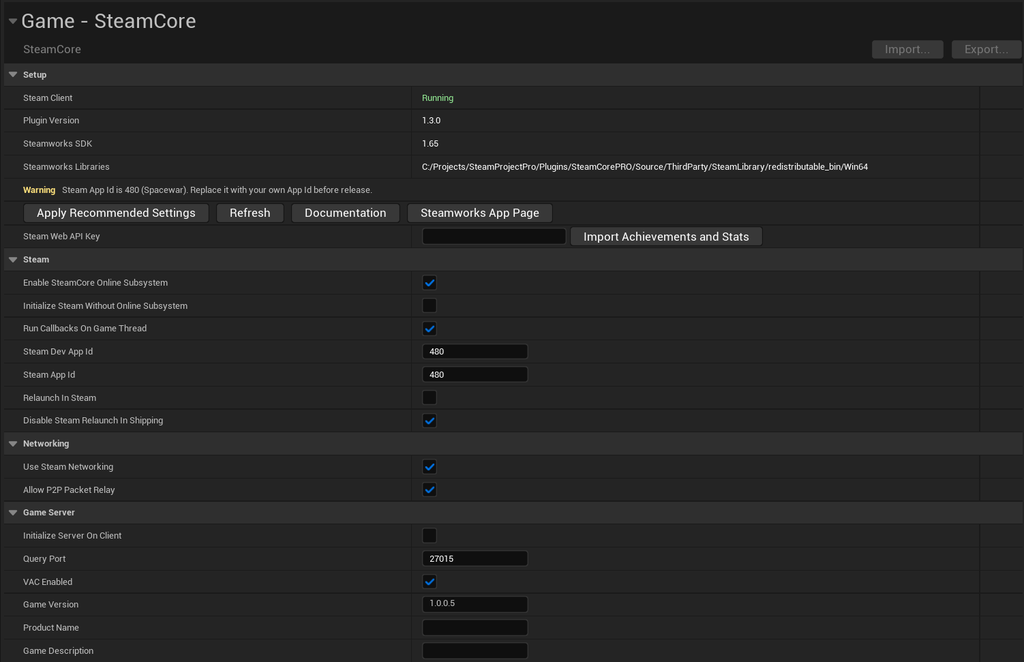
  • The SteamCoreShared module now initializes Steam, so the SteamCore online subsystem is optional for clients.
  • Use Initialize Steam Without Online Subsystem (bInitSteamWithoutOnlineSubsystem) to enable this mode.
  • Dedicated servers still use the online subsystem to log on to Steam.
  • Pass -nosteamcore to skip Steam initialization.
  • The Steam overlay also works in this mode.

Project settings​

  • SteamCore settings are back under Project Settings > Game > SteamCore.
  • A new Setup section shows the client status, plugin and Steamworks SDK versions, and the path the Steamworks libraries load from. It also links to the docs and the app’s Steamworks page.
  • The setup checks have Fix buttons for Steam initialization and for setting DefaultPlatformService to SteamCore.
  • Apply Recommended Settings preserves existing App IDs when writing the recommended configuration.
  • The level editor toolbar now has a SteamCore button.
  • Import Achievements and Import Stats download Steamworks definitions into DT_SteamAchievements and DT_SteamStats under /Game/SteamCore.
  • In non-shipping builds, run showdebug steamcore to display Steam status on screen.
Blueprint nodes​

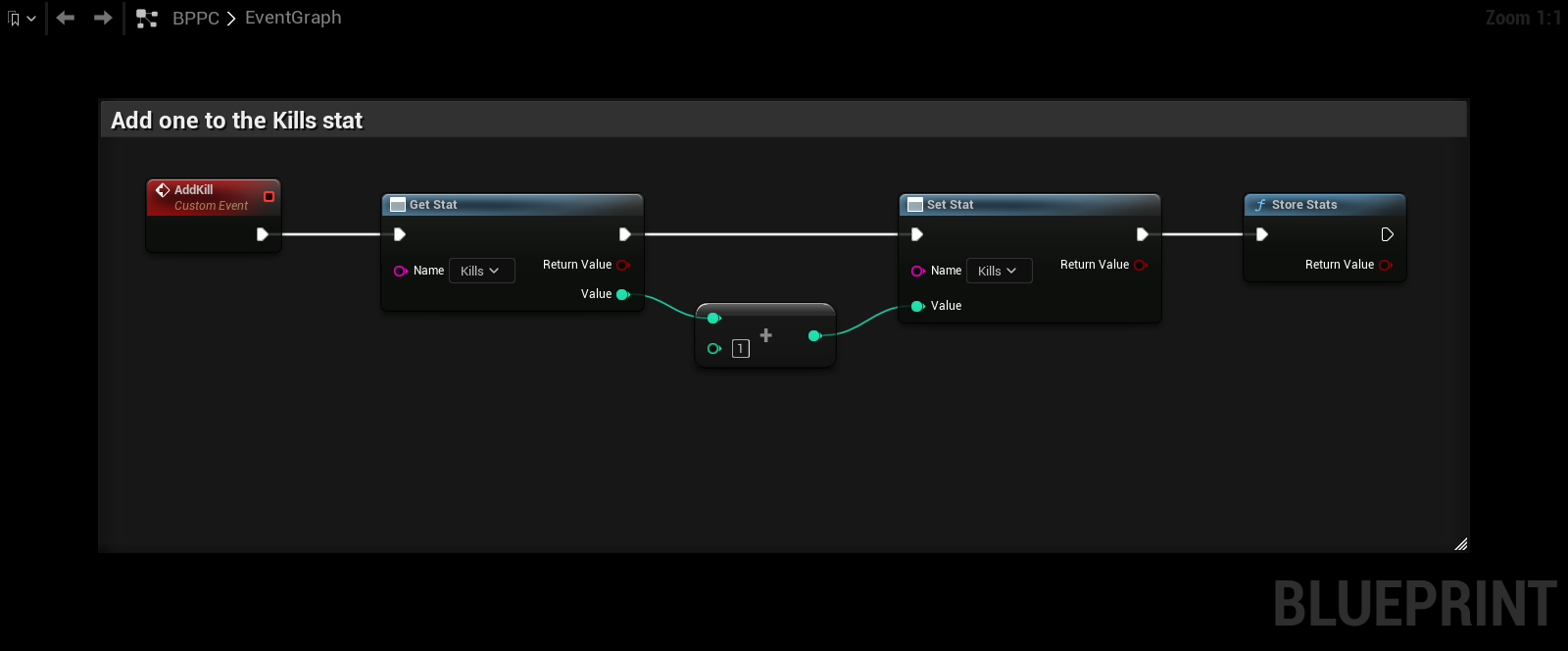
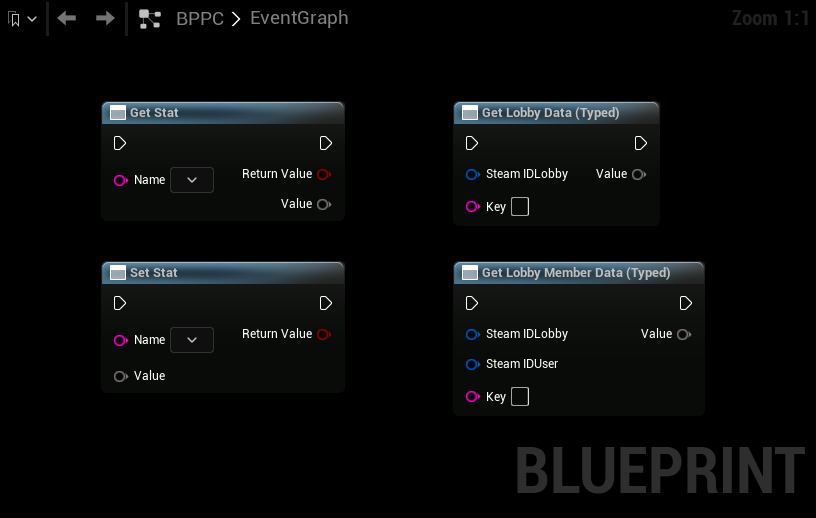
  • Added Get Stat, Set Stat, and Get User Stat.
  • Added typed nodes for getting and setting lobby and lobby member data, as well as Make Session Setting and Get Session Setting.
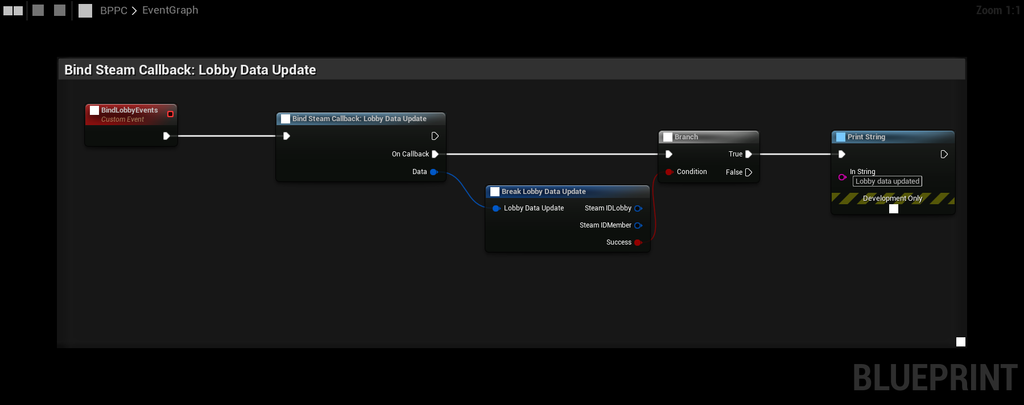
  • Added Bind Steam Callback nodes.
  • After an import, the name pins on User Stats nodes offer the imported names in a dropdown.
  • Game Server Item now exposes Had Successful Response. Server browsers can use it to hide or flag servers that did not answer the details query.

Typed stats Blueprint nodes

SteamCore PRO Blueprint examples

Additional SteamCore PRO Blueprint examples